Appendix: How to Actually Fix Self-Hosted Ghost ActivityPub (Because Last Time I Lied to You)
The euphoric post said it works. Half-truth. Federation works; every interaction (like, boost, reply, open article) silently dies. Here is the real fix: Apache AllowEncodedSlashes + nocanon, plus the hairpin-NAT gotcha.

I fucking told you not to self-host ActivityPub.
Except I didn't. I told you the opposite. In a whole euphoric post, fresh off getting my own blog into the fediverse, feeling like I'd personally defeated Big Social. So let me correct the record, because that post was, at best, a half-truth.
Here is the half that was true: self-hosting Ghost's ActivityPub looks like it works almost immediately. Your profile shows up. Your posts fan out to Mastodon. Other people's posts even appear in your reader. You take a screenshot, you feel like a god, you write a triumphant blog post.
Here is the half nobody warns you about: the moment you try to actually do anything, it falls apart. Like a post? The heart turns red and immediately snaps back to grey. Boost? Same. Open a full external article from the reader? Error loading article. Expand a note? Error loading note. Even your own notes. THIS SHIT IS BROKEN AS FUCK, and worse, it's broken silently. Federation keeps working, so you assume you're done. You are not done.
This appendix is the part of the guide I owed you. Here's exactly why it breaks, and the two-line fix that makes it work for good.
What actually works vs what silently doesn't
- Works out of the box: your actor/profile, webfinger discovery, your posts federating out, follows, other servers' posts appearing in your reader.
- Silently broken: liking, boosting, replying, opening full articles, expanding note threads. Anything interactive.
The split is not random, and once you see why, the fix is obvious.
Gotcha #0: your ActivityPub box can't talk to your own blog
If your AP container lives on the same LAN as the blog it serves (mine runs in Docker next to the Ghost servers), you hit this first. The AP service uses Fedify, and Fedify refuses to talk to private IP addresses in production. The ALLOW_PRIVATE_ADDRESS env var? Ignored when NODE_ENV=production. So your AP box resolves your blog's public IP, sends a packet to it from inside your own network, and the packet dies because your router doesn't loop it back.
The wrong fix is split-horizon DNS pointing at the private IP, because Fedify will then reject it for being private. The right fix is hairpin NAT (NAT reflection) on your firewall, so traffic from the LAN to your own public IP gets bounced back inside. On my pf-based router that's an rdr plus a matching nat rule for the LAN-to-public-IP path. Get this working first, or nothing else federates from behind your own NAT.


run pf/OPNsense and finally get hairpin NAT right instead of fighting your ISP router
Gotcha #1: Apache eats your interactions (the real boss fight)
This is the one that cost me an evening. Every interactive ActivityPub endpoint puts a percent-encoded URL inside the request path. Liking a Mastodon post looks like this:
POST /.ghost/activitypub/v1/actions/like/https%3A%2F%2Fmastodon.social%2F...Opening an external article looks like this:
GET /.ghost/activitypub/v1/post/https%3A%2F%2Fwww.example.com%2F.ghost%2Factivitypub%2Farticle%2F...See those %2F sequences? Encoded slashes. And Apache, by default, 404s any request whose path contains an encoded slash. The setting is AllowEncodedSlashes, and its default is Off. That is the entire reason likes and article loads die: the request never even reaches the backend. It's killed at the front door.
The tell, if you're debugging this yourself: the requests show up as 404 in the Apache access log, and nothing at all in the ActivityPub container logs. No log in the backend means the backend never saw it. Stop blaming the app. Blame the proxy.
So you flip AllowEncodedSlashes on and... you get a new error. Now it's a 400 Bad Request, and the backend finally logs something useful:
{"message":"Expected a URL for the ID"}Progress, but not done. The endpoint receives the param, decodes it, and finds garbage. That's because mod_proxy canonicalises the URL on its way to the backend, which re-encodes the already-encoded path and mangles it. The handler does one decodeURIComponent(), gets a broken string, and bails. You need to tell Apache to forward the raw, original URI untouched. That flag is nocanon.
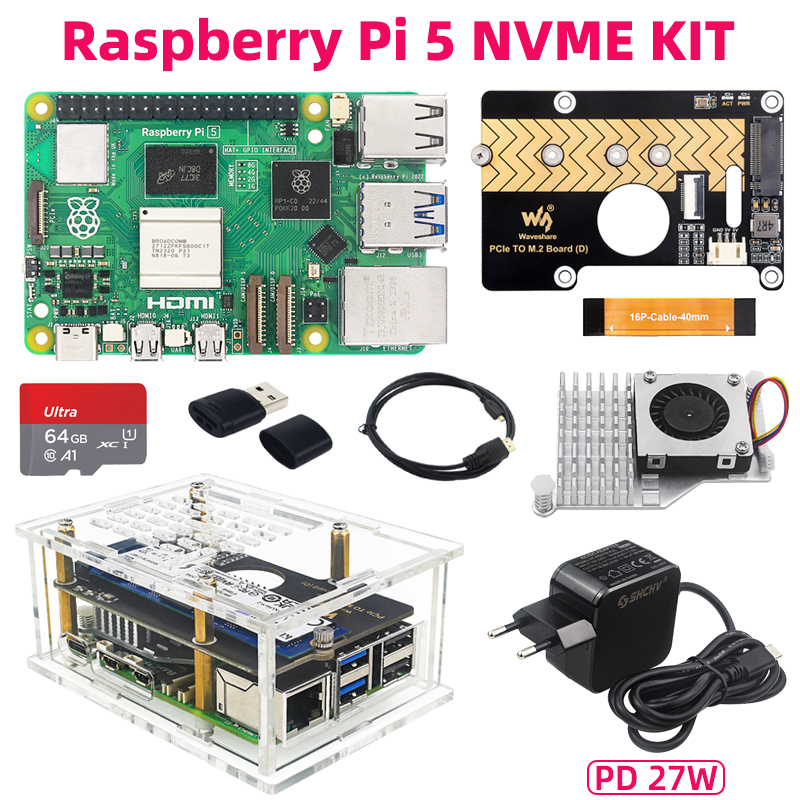
a tidy, low-power Docker host for the ActivityPub container and its MySQL.
The fix
Two things, both inside the <VirtualHost *:443> for each blog that serves ActivityPub:
<VirtualHost *:443>
    ServerName yourblog.com
    # ... your existing TLS + proxy-to-Ghost config ...

    # 1) Let encoded slashes through. NOT inherited by vhosts,
    #    so it MUST sit inside each VirtualHost that serves AP.
    AllowEncodedSlashes NoDecode

    ProxyPreserveHost On

    <Location "/.well-known/webfinger">
        ProxyPass         "http://AP_HOST:8080/.well-known/webfinger"
        ProxyPassReverse  "http://AP_HOST:8080/.well-known/webfinger"
    </Location>
    <Location "/.well-known/nodeinfo">
        ProxyPass         "http://AP_HOST:8080/.well-known/nodeinfo"
        ProxyPassReverse  "http://AP_HOST:8080/.well-known/nodeinfo"
    </Location>

    <Location "/.ghost/activitypub/">
        # 2) nocanon = forward the RAW encoded URI. Without it mod_proxy
        #    re-encodes the path and the backend 400s with
        #    "Expected a URL for the ID".
        ProxyPass         "http://AP_HOST:8080/.ghost/activitypub/" nocanon
        ProxyPassReverse  "http://AP_HOST:8080/.ghost/activitypub/"
    </Location>

    # avatars/banners (the AP service stores them on its own host;
    # serve them through a tiny static container, e.g. nginx:alpine)
    <Location "/content/images/activitypub/">
        ProxyPass         "http://AP_HOST:8081/content/images/activitypub/"
        ProxyPassReverse  "http://AP_HOST:8081/content/images/activitypub/"
    </Location>
</VirtualHost>
Then, always:
apachectl configtest   # must say Syntax OK
apachectl graceful
Repeat for every blog vhost that serves ActivityPub. The AllowEncodedSlashes directive is the easy one to forget because it does not inherit from the main server config into virtual hosts. One per vhost, or it silently does nothing.

segment the homelab so a chatty container can never reach what it should not.
How to verify it's actually fixed
Re-run the failing actions with the admin panel open and watch the codes flip:
- Before:
404in Apache, silence in the AP container. - Half-fixed:
400 "Expected a URL for the ID". - Fixed:
200, the heart stays red, the article opens, the thread expands.
Hard-refresh the admin first (the SPA happily caches the old failures and will lie to you about whether it's working).
"Just use nginx, Ghost prefers it"
I looked. nginx is not a magic escape hatch here. Its proxy_pass also decodes %2F by default, so you'd be trading "know the right Apache directive" for "know the right nginx directive," plus rewriting every other vhost and every PHP rewrite rule by hand, because nginx has no .htaccess. If you're already on Apache and it serves non-Ghost stuff too, fixing the proxy is two lines. Migrating the whole stack to chase a setting you can just set is how you turn an evening into a lost weekend.
So, was it worth it?
Now? Yes. Likes stick, boosts boost, replies reply, full articles open from the reader. It genuinely works, end to end. But understand what "self-host ActivityPub" actually means: it means owning the firewall reflection, the proxy encoding rules, and the silent failures that look like the app's fault but never are. The euphoric version of me skipped all of that. Consider this the receipt.
Gear for the homelab that hosts your fediverse (affiliate links — they cost you nothing and fund the next teardown)

stop stacking servers on the floor like an animal; your cables will thank you.
Buy Me a Coffee
Fuel my creativity with a coffee — every sip keeps this blog running!

Support This Blog — Because Heroes Deserve Recognition!
Whether it's a one-time tip or a subscription, your support keeps this blog alive and kicking. Thank you for being awesome!
Tip OnceTwo lines from now, your fediverse actually works.
Subscribe for more self-hosting fixes I learned the hard way — the ones that break silently and cost you an evening. No spam, no bombing, just what bit me so it doesn't bite you.
SubscribeDOGE: DSYxsbfWKAX8wWED9aWeqLEVXU7KihKk6h